MaunaOne v4.0.0 — Extras, New Calendar, and more to come
v4.0.0

MaunaOne v4.0.0
Extras, New Calendar, and More to Come
This release marks a turning point for MaunaOne.
From now on, we publish a weekly changelog so you always know what's new.
With v4.0.0, we strengthen international operations, product customization, and the post-purchase experience.
Summary
This update includes:
• Full support for operating in USD and other currencies
• Booking cutoff (booking lead time)
• Extras in products
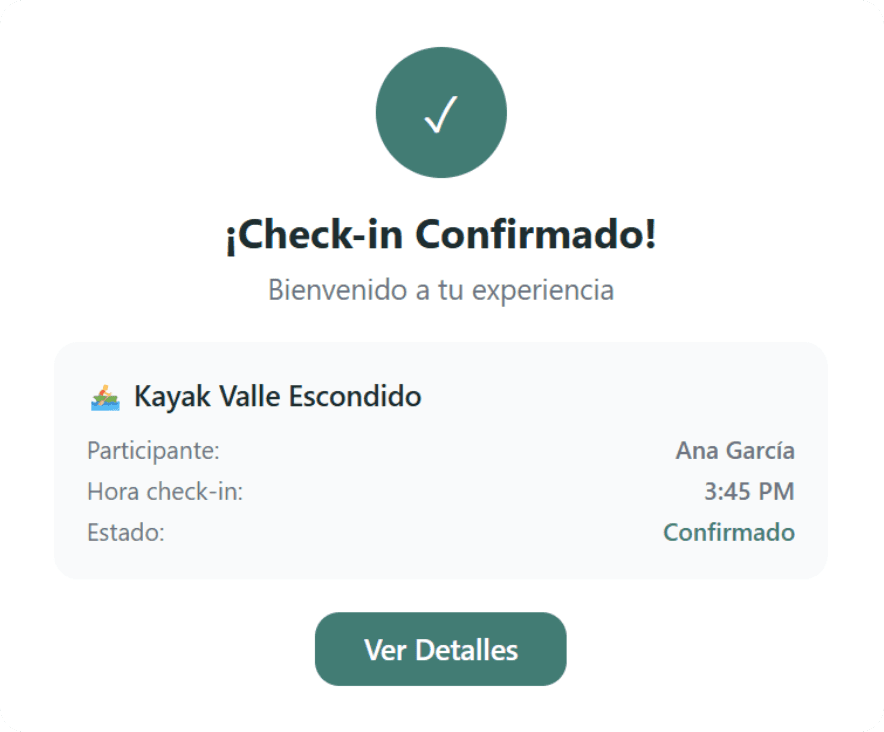
• New purchase confirmation page
• Major calendar redesign
• Deep improvements in the sales module
🆕 What's New
⏰ Booking lead time (Booking Cutoff)
Define how much time before the event customers can book.
How to use it:
Go to Products → Booking settings
Define the cutoff time (e.g. 2 hours, 1 day, 3 days)
The system blocks bookings outside the limit
Example:
If a tour departs at 9:00 AM and you configure a cutoff of 12 hours, they can only book until 9:00 PM the day before.
🧩 Product extras
Now you can offer additional add-ons to your experiences.
How to use it:
Go to Products → Advanced settings
Add Extras with name, description, and price
The customer can select them at checkout
Example:
A snorkeling tour can offer:
• GoPro camera
• Premium snack
• Travel insurance
✅ New purchase confirmation page
After paying, your customers see a professional page with:
• Product
• Date and time
• Total amount
• Selected extras
• Your business contact information
This improves trust and post-purchase clarity.
⚙️ Improvements
Advanced filters in Sales
Filter orders by custom range:
• Today
• This week
• This month
• Specific period
More complete sales report
Now includes:
• Product
• Variants
• Extras
• Applied discount
• Payment method
• Referral code
• Notes
You no longer need to enter the panel to complete your accounting.
Redesigned calendar
The new calendar allows:
• Filter by date
• Filter by product
• Quickly view events with bookings
Less clicks, more visibility.
Simplified POS
Now there are only two clear options:
• Offline payment (cash / transfer)
• Payment link (Stripe)
Faster and less confusion.
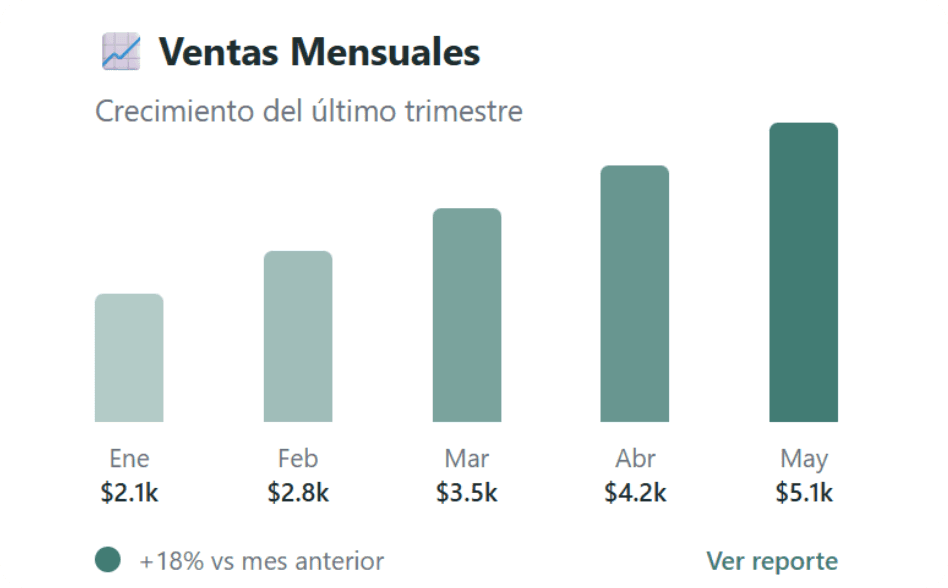
Summary cards in Sales
When entering Sales, you now see:
• Total amount
• Paid orders
• Bookings
A quick glance at your business status.
Simplified Home
We reduced the number of visible orders on the main screen to improve clarity and speed.
🐛 Fixed Issues
• Time zone now respects the account settings
• Pending orders automatically expire after 24 hours
• Translations completed across the platform
• Phone validation accepts numbers only
• Exact synchronization between Calendar and Product
🟡 Under investigation
• Evaluation of the 30-minute limit to complete online payments
• Platform speed optimization
Feedback
If you find a bug or want to suggest an improvement:
• 💬 Support chat within your dashboard
• 📱 WhatsApp: https://api.whatsapp.com/send?phone=525535610653
• 📧 support@maunaone.com