MaunaOne v2.0.0-beta — Discounts, POS with payment link and Referrals
v2.0.0-beta

MaunaOne v2.0.0-beta
More marketing, more flexibility, more control
The Beta version of MaunaOne includes marketing tools and operational improvements that let you sell more and manage your day-to-day operations better.
Summary
With this version, you can now:
• Create promotions with percentage discounts, fixed amount discounts, or unit discounts
• Charge remotely by generating payment links from the POS
• Customize products with options and variants without duplicating records
• Attribute sales using referral codes in links
The problem it solves
Before this version:
• You couldn't offer discounts without doing it manually
• If a customer wanted to pay remotely, you had to leave the system
• To sell variants (adult/child, levels, durations), you had to duplicate products
This version eliminates those friction points.
What's new
🛍️ Discounts
Now you can create custom promotions:
• By percentage
• By fixed amount
• By unit
You can combine them with conditions such as:
• Purchase date range
• Minimum quantity
• Coupon code
How to use it:
Go to Dashboard → Discounts → New discount
Choose a type and define conditions
Activate it with one click
Tip: Use clear names like NAVIDAD2025 or 20OFFENERO. You can pause and reactivate anytime.
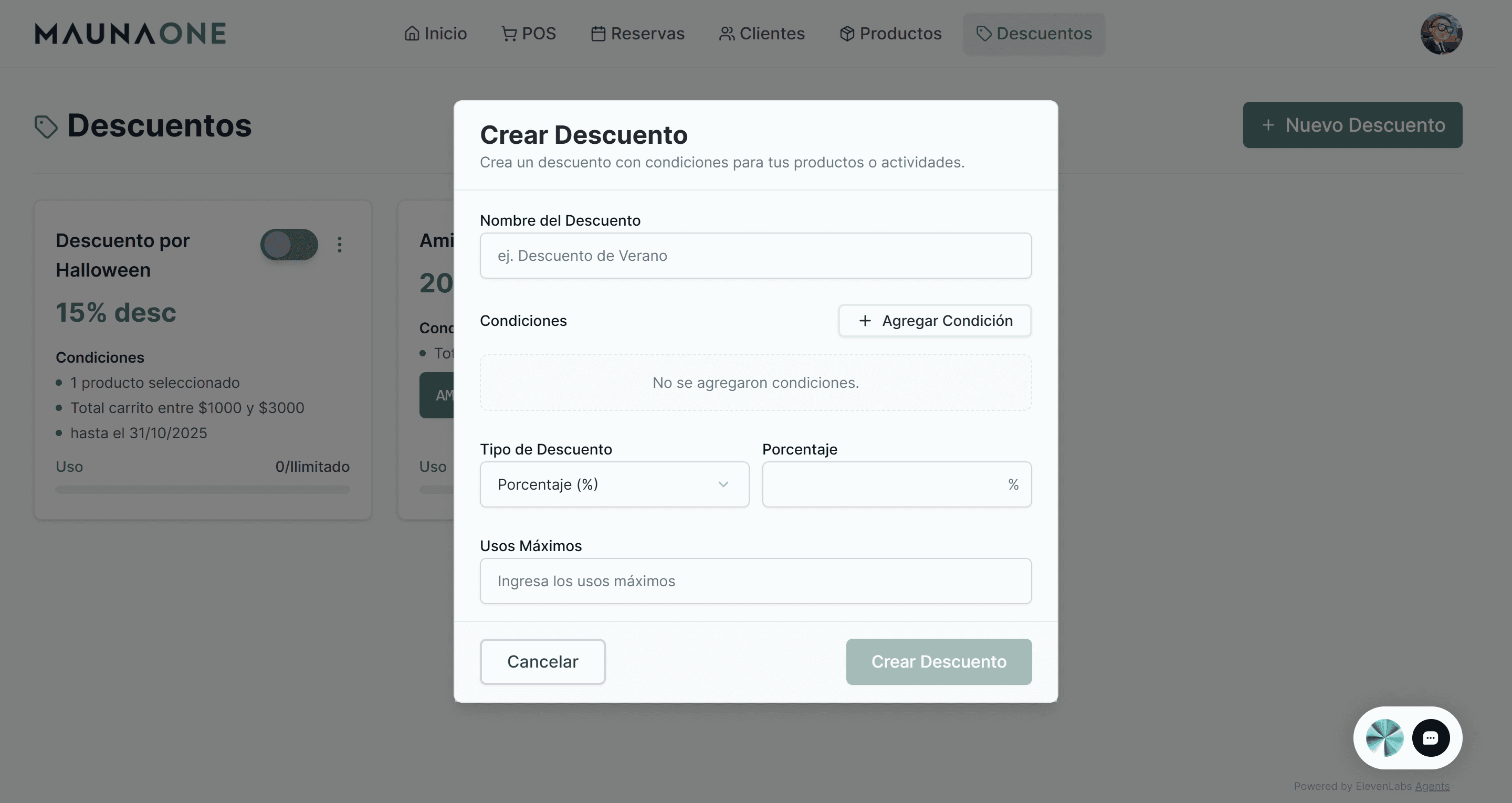
💳 Payment link from the POS
Generate a direct payment link with Stripe from the Point of Sale.
Ideal for charging remote bookings without leaving the system.
How to use it:
Go to Point of Sale → Create order
Select “Generate payment link”
Share the link via WhatsApp or email
When the customer pays, the order is automatically marked as paid and associated with the customer.
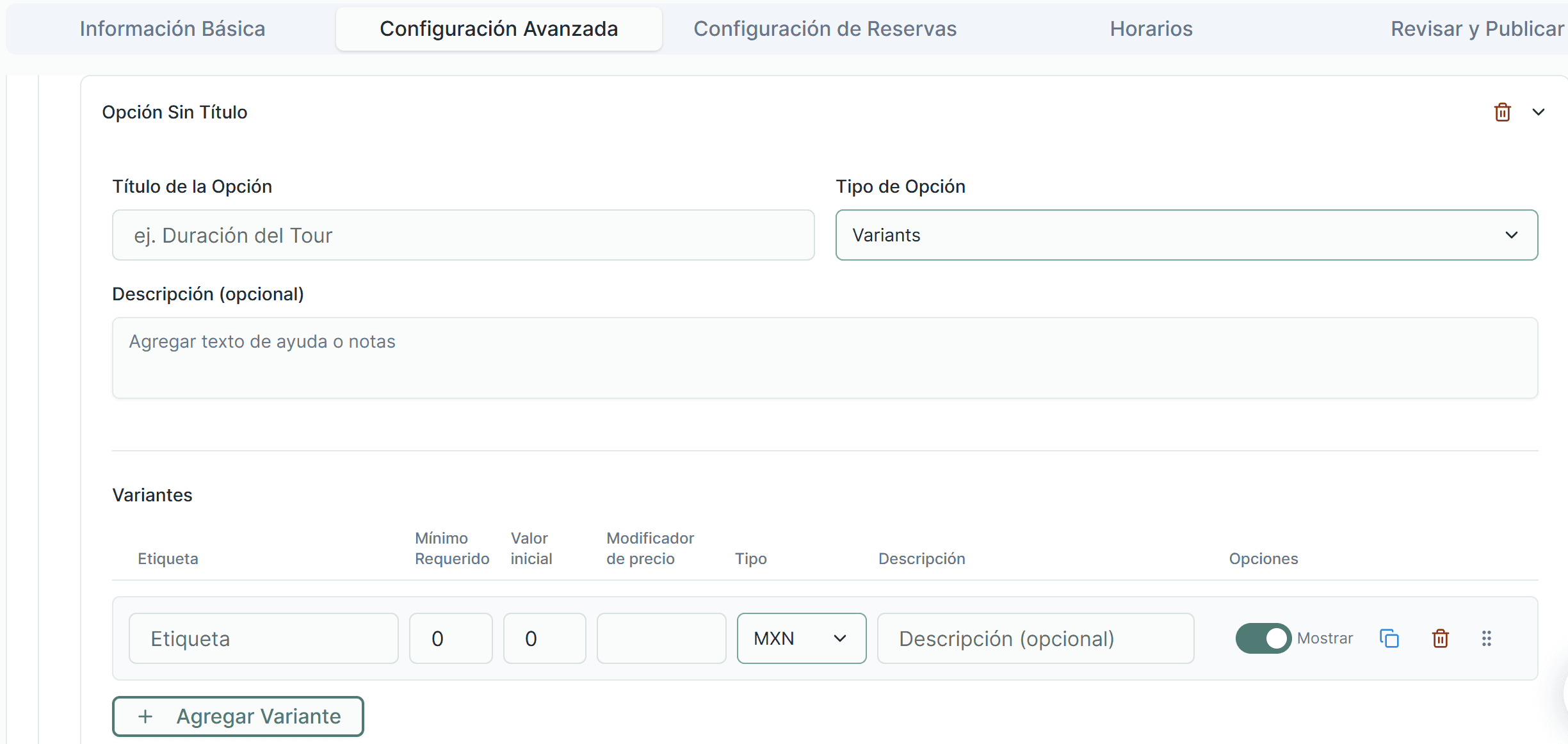
⚙️ Options and variants in products
Now you can offer multiple variants within a single product:
• Different durations
• Levels
• Access types
• Different prices
Without duplicating products.
How to use it:
Go to Products → Advanced settings
Add a new option (e.g. Tour duration)
Create variants with name, description, and additional price
Example:
A surf school can offer Individual lesson, Group lesson, and a full 3-day course within a single product.
🔗 Referrals with the ?ref= parameter
Track the source of your sales by adding custom codes to your links.
How to use it:
Copy the link to your product
Add ?ref=yourCode at the end (e.g. ?ref=ali2025)
Share that link
The system stores the code for 30 days and associates it with the order.
🤖 AI support chat
Support is integrated within the dashboard to resolve operational questions and connect with the team when needed.
⚙️ Additional improvements
• Quick access from POS and Calendar
• Centralized management of Stripe and MaunaOne subscription from the profile
• Full responsiveness on desktop, tablet, and mobile
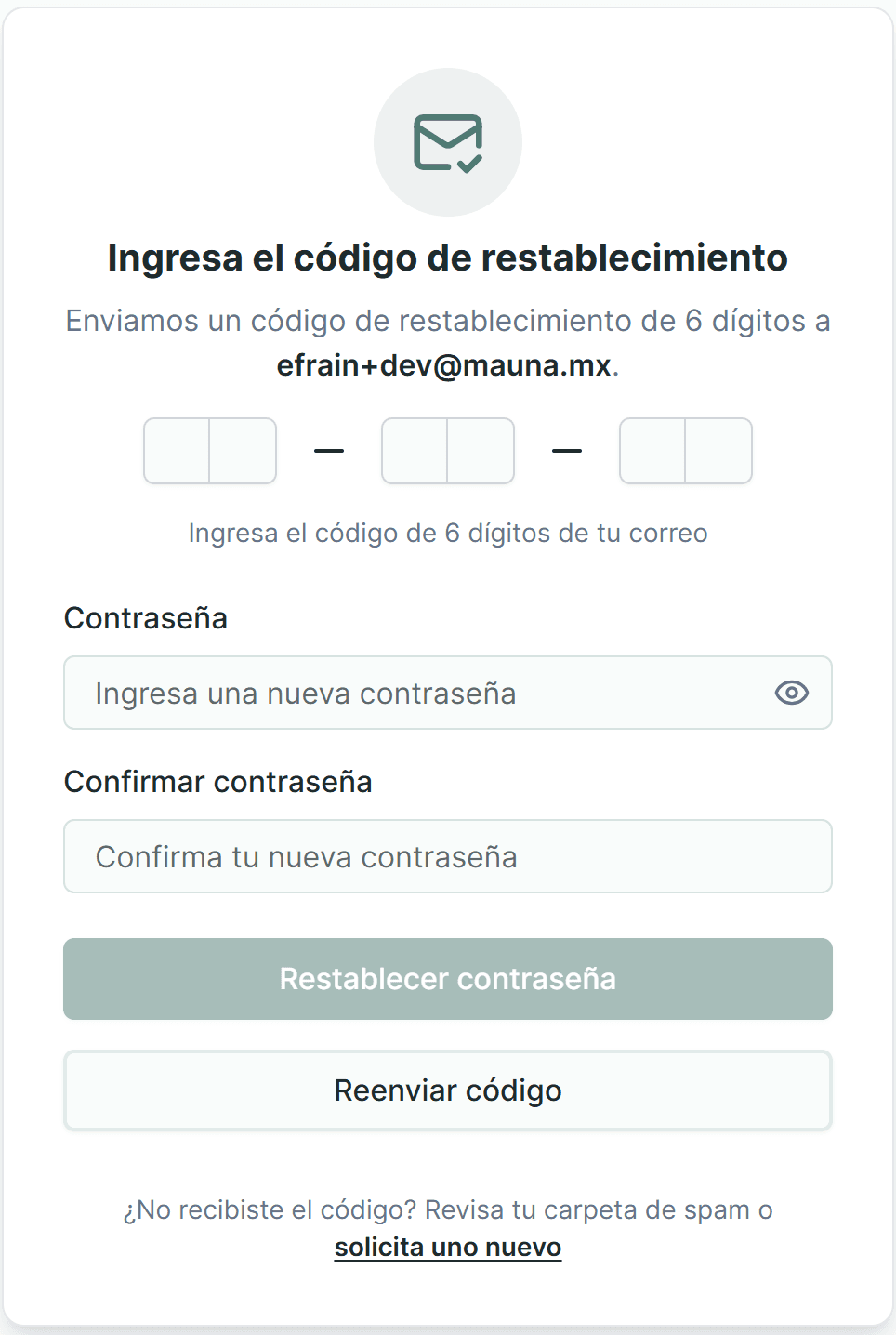
🔐 Password recovery
Now you can reset your password without contacting support:
Select “Forgot your password?”
Enter your email
Receive a verification code
Create a new password
⚠️ Important change
Temporary pause on subscription products.
We are developing a more robust version that will include:
• Multiple plans per product
• Custom billing cycles
• Loyalty discounts
• Better integration with Stripe Connect
🧹 System stabilization
A general cleanup and stabilization were carried out.
Some minor features were temporarily paused to prioritize stability.
Feedback
If you find an error or want to suggest an improvement, you can write to us via: