MaunaOne v6.3.0 — QR System, Check-in, Private Events in POS, and Improvements
v6.3.0

✅ Summary
This release introduces the complete QR and check-in system for events, with both internal and external access so you or your team can validate tickets on the day of the event. It also brings significant improvements to the Point of Sale, the Discounts module, Sales filters, and a series of visual and operational adjustments that make the platform faster to use on a daily basis.
🆕 What's New
🎟️ QR Code System on Tickets
Booking tickets now include a unique QR code per order.
Ready to scan on the day of the event from any device with a camera.
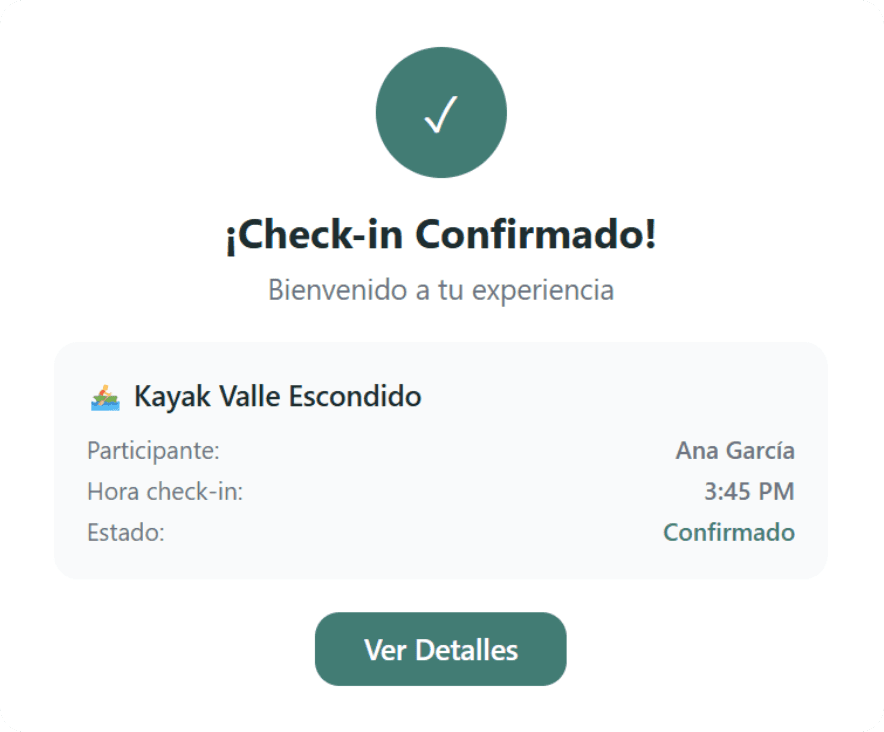
✅ Check-in System
Internal check-in (admin): Validate tickets directly from the MaunaOne administration panel, without external tools.
External check-in: Share a link with an access passcode with your door staff. They do not need a MaunaOne account to scan and check in attendees.
🔒 Selling Private Events from the POS
Events marked as private now appear in the Point of Sale and can be sold directly from there.
The visual private indicator is displayed on the event card within the POS.
🔍 Search and Filters in Discounts
The Discounts module now features a search by name and filters to find discounts quickly without infinite scrolling.
⚙️ Improvements
Event Calendar
Calendar cards feature a simplified design with a direct button to manage event check-in.
Point of Sale
General flow and visual consistency improvements in the POS.
Home
Upcoming dates on the Home page are no longer limited to the current week — they now show the next events with no date restriction.
Sales and Reports
Multi-select product filter: You can select multiple products at the same time to filter the sales report.
Visible date range: The date range filter now shows which dates you are filtering while you use it.
Private event column: Private event orders now have their own column in the report for easy identification.
Improved download modal: New design for the report export modal, clearer and more direct.
Private Event Indicator
Private event orders can be visually identified in the sales list. They can still be sold from the POS.
Itinerary
Itinerary items now show Time | Activity on the same row for a cleaner reading experience.
Next Event Badge
Product cards now display a badge with the next available date of the event.
Onboarding and Banner Visual Adjustments
Visual improvement in the onboarding pop-up.
Adjustment in the post-creation banner for products.
New contextual banner during product creation.
Visual improvement in the Stripe banner.
🐛 Resolved Issues
Load time on products with many dates and times
⚠️ Important Change
External check-in requires a passcode: The check-in link for door staff is protected by a passcode you generate. Share it along with the link — access is blocked without the passcode.
Private events visible in POS: If you had private events configured, they now appear in the POS. If you do not want them available for direct sale, review the privacy settings for each product.
📣 Feedback / Report an Issue
WhatsApp: +52 55 6187 3006
Email: support@maunaone.com
From the platform: support button in the bottom corner of the screen.