MaunaOne v6.0.0 — Google Login, Redesigned Home, Private Groups and Plans
v6.0.0

✅ Summary
This release consolidates the work of the last few weeks across four fronts: easier access to the platform with Google, a completely redesigned Home as the operations center, new tools for private and group sales, and the formal definition of the differences between the Starter and Pro plans. It also includes critical bug fixes for plan changes, locked portals, and visual adjustments in advanced product configuration.
🆕 What's New
🔑 Sign up and Log in with Google
Now you can sign up or log in to MaunaOne directly with your Google account — no password, no extra steps.
Compatible with the existing email/password flow. Both options coexist.
Includes a fix for the bug that interrupted the Google flow on some devices.
🏠 Complete Home Redesign
The home dashboard was redesigned to function as an operational command center.
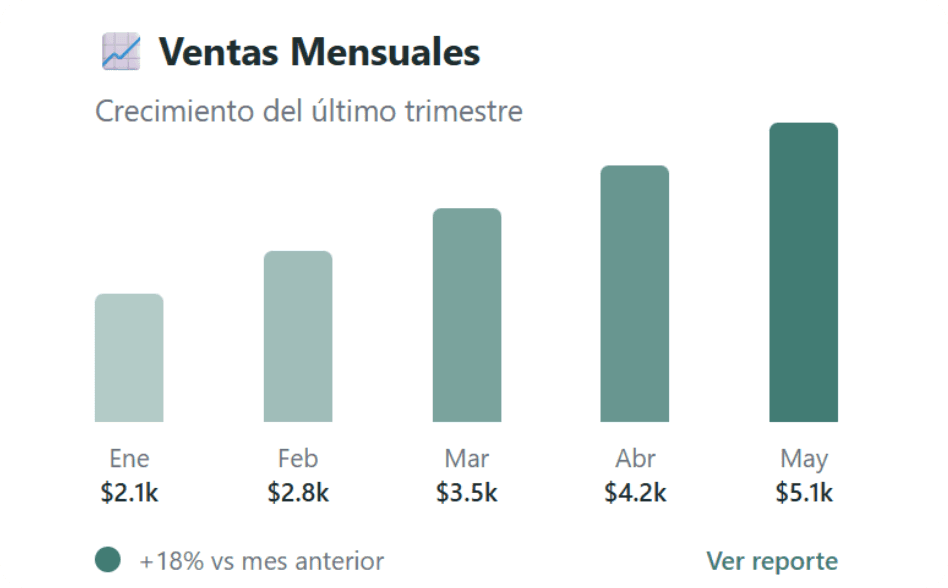
Includes: real-time sales KPIs, quick access key actions, daily agenda, attention alerts, and a summary of recent orders.
New visual adjustments: agenda and recent orders blocks aligned in height, wrapping in subtitles, bubble colors based on date availability.
👥 Private Group Request
Customers can now request a private or group event directly from the product link of a bookable product.
The request reaches the seller with the group's details to coordinate availability and price.
Designed for businesses with tours, classes, or personalized group experiences.
🌐 Automatic Translation
Product links are now displayed in the seller's language by default.
The system respects the account language settings, both for logged-in customers and in incognito mode.
A controlled limit has been set for automatic translation (aligned with plan limits).
📋 Formal Differences between Starter Plan and Pro Plan
Clear limits and benefits for each plan have been established and published:
Starter: product limits, discounts, dates, and included features.
Pro/Growth: differentiated commissions, unlocked advanced features (partial payments, private events, branding, etc.).
We introduced plan upgrade banners on free plans.
Locking logic: if you are on a free plan, features from higher plans are automatically deactivated and hidden. They unlock upon payment.
⏳ New Loading Screen on Public Links
A three-dot (···) animation was implemented on public product links while the page is loading.
Replaces the previous blank state, generating a better first impression for the sellers' customers.
⚙️ Improvements
Visual adjustments in advanced product configuration: Larger range (+1) in quantity discounts. The "not available" message when active variants exist is now correctly hidden.
Home — visual polishing fixes: Date moved to the left of the page button on desktop. Reduced top padding in agenda blocks, recent orders, and sales summary. More compact Stripe banner.
Point of Sale — improved calendar: Unified the "Not available" tag (removed the redundant "Sold out" tag). The calendar only shows days of the active month. Available dates are correctly color-coded.
🐛 Resolved Issues
Bug in plan change: When changing plans in Chargebee, the system created a new duplicate plan instead of modifying the existing one. Fixed.
Bug in Chargebee / downgrade: Plan status and access to features did not sync correctly when downgrading. Fixed.
Portals locked by login: An error affected a small number of accounts, preventing them from accessing the platform despite having a valid session. Resolved with no data loss.
Bug in Google login: The Google authentication flow failed in certain cases. Fixed as part of the feature release.
⚠️ Important Change
Plan limits now active: Starter Plan limits are operational. If your account exceeds any limit (products, discounts, future dates), you won't be able to create new items of that type until you free up space or change plans.
Automatic translation limited by plan: Automatic translation of the product link to the end customer's language is available based on the active plan.
Private request requires availability enabled: The private group request form only appears if the product has the private events option enabled in its configuration.
📣 Feedback / Report an Issue
Do you have questions about the plans, did you find something unexpected, or do you want to share how you are using the new features?
WhatsApp: +52 55 6187 3006
Email: support@maunaone.com
From the platform: support button in the bottom corner of the screen.