📧 Launch — Redesigned Emails & New Email Flows
v6.4.0

🚀 Release — Redesigned Emails and New Email Flows
MaunaOne v6.4.0 · June 8, 2026
✅ Summary
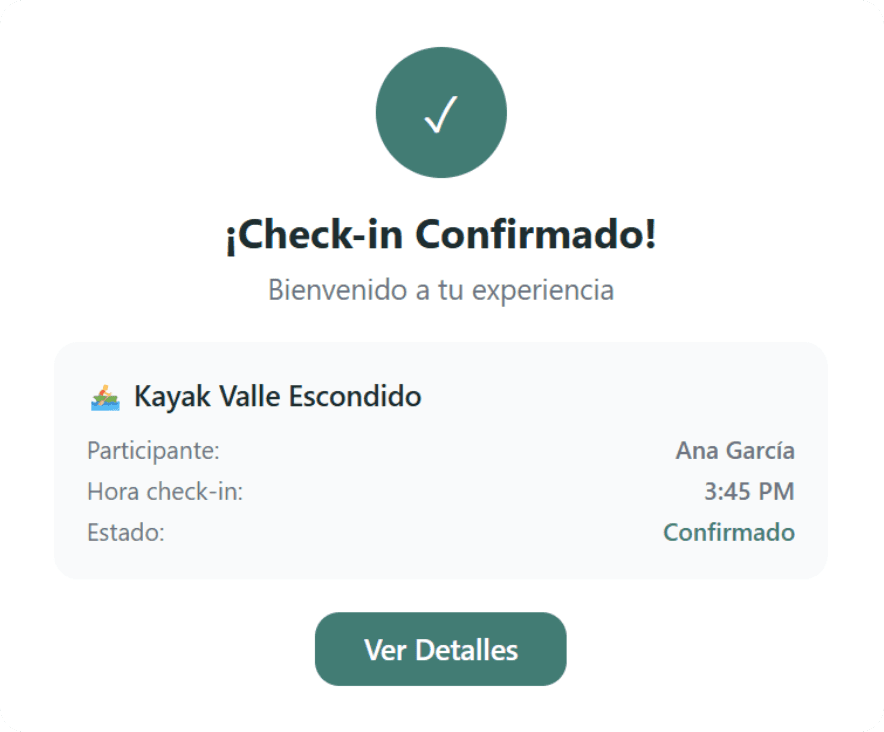
✅ The purchase confirmation email has a new design: clearer, more visual, and mobile-optimized.
✅ Your customers now receive a reminder before the event to reduce no-shows.
✅ Failed orders generate an automatic email so the customer can recover their purchase without you having to intervene.
🎯 Problem It Solves
The confirmation email was functional but generic. There was no reminder before the event, which contributes to no-shows. And when an order failed, the only way to recover it was for the seller to contact the customer manually.
Now the three key post-purchase moments have a dedicated email: confirmation, reminder, and recovery. More completed sales, less manual work.
🆕 What's New
🧩 Redesigned purchase email — new layout with order details, event information, and the ticket QR code in a visually organized way.
🧩 Reminder email — sent automatically before the event with date, time, location, and booking details.
🧩 Failed order recovery email — when a payment fails, the customer receives an email with a link to retry payment, without the purchase intent expiring.
👣 How to Use It (3 Steps)
No setup required — all three emails are automatically activated for all accounts.
To customize the sender or email content, go to: Profile → Email Settings (if available on your plan).
Verify that your business email is correctly set up in your profile so that your customers recognize it.
⚠️ Important Changes
The new design applies to all new orders: Orders prior to this release do not receive the redesigned email or the new flows.
The recovery email only applies to failed orders, not manually canceled orders.
The reminder uses the business time zone: Make sure you have your correct time zone in your profile so that the reminder arrives at the correct time.